


Dootchi: Chat with AI Chars
4.73.14K Reviews
App Specs
- Version
- 1.0.70
- Updated On
- License
- Free
- Downloads
- 5,000,000+
- Developer
- Hello Kirana
- Categories
- Entertainment
- Platform
- Android
Screenshots
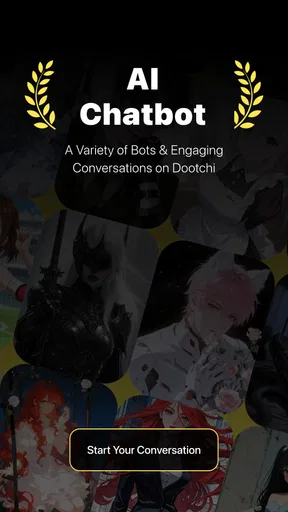
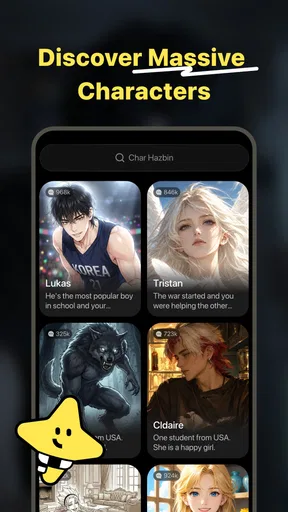
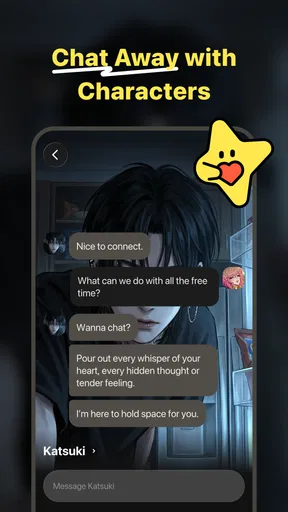
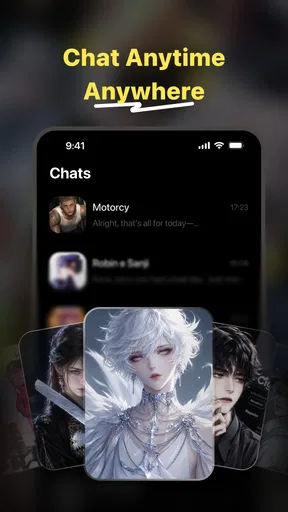
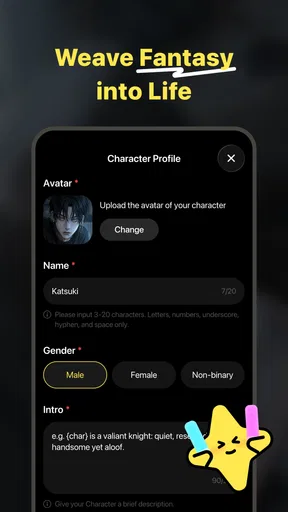
 Analysis by AppCompare
I spent time with Dootchi: Chat with AI Chars as an entertainment app, and its appeal became clear quite quickly: it is built for people who want an easy conversation, a bit of role-play, or a low-pressure place to pass time. Rather than opening a feed and waiting for something interesting to appear, I could start a conversation and steer it toward the mood I wanted. That makes it feel more personal than ordinary scrolling, although the quality of the experience depends heavily on how clearly I guide the chat.
Dootchi is developed by Hello Kirana and is free to install. It is aimed at mature users, with a Mature 17+ content rating, so I would not treat it as a general family entertainment app. Its position in the entertainment category is straightforward: this is not a productivity assistant, a messaging service for real friends, or a conventional game with levels and objectives. It is a conversational space where the enjoyment comes from choosing a character or scenario, starting with a prompt, and seeing how the exchange develops.
How I used Dootchi for everyday conversations
I found Dootchi works best when I treat a conversation as a small, deliberate activity rather than something I need to keep alive indefinitely. In this section, I’ll focus on how I fit it into ordinary breaks and what helps a chat feel more purposeful, including a simple way to decide whether to continue or switch direction. That practical routine also makes it easier to notice when a dull exchange needs a fresh premise rather than more effort.
The basic conversation loop is simple, but your opening matters
My usual starting point was to decide what I wanted before typing. If I wanted casual company, I kept the opening relaxed. If I wanted role-play, I gave the character a setting, a relationship, and a clear tone. That small preparation made a noticeable difference. A vague message such as “What should we do?” can lead to a flat exchange, while a more specific opening gives the conversation something to build on.
A practical prompt might establish a location, a shared activity, and the kind of response I prefer. For example, I could frame a conversation around planning a fictional evening, ask the character to stay in role, and request short replies so I could guide the scene myself. I found this more effective than writing a long explanation at the beginning. A few useful details are enough to create direction without turning the chat into a writing exercise.
This makes the app particularly suitable for small pockets of free time. I can imagine using it during a quiet commute, while taking a break from routine tasks, or late in the evening when I want interaction without arranging a call. It does not demand the attention required by a full game, and it avoids the social pressure of contacting someone who may be busy. The trade-off is that the entertainment is self-directed. If I arrive without an idea, the experience can feel less engaging.
I also learned not to judge a character from the first few messages. Early replies often establish the tone rather than reveal the full potential of a scenario. When a conversation became repetitive, I changed one element instead of abandoning it immediately. Introducing a new setting, asking for a different point of view, or giving the character a concrete task usually produced a more useful turn than simply repeating the same question.
Worth Reading Before You Choose

EA SPORTS FC Mobile 26 Is a Bigger Football Game, but It Takes Time

Flipboard Shows What News Apps Must Do Beyond the Feed

Switching to Android Auto Means Rethinking Your Driving Routine

Google Calendar Makes a Crowded Week Easier to Manage

Ludo King Makes the Most of the Minutes Between Plans

Baby Panda World Brings Quick Play to Modern Phones, but Its Game Library Feels Busy
A repeatable routine works better than random tapping
Experienced use of Dootchi is less about finding one perfect prompt and more about developing a small routine. I would begin with a short setup, let the conversation run for several turns, then adjust the direction when the replies became predictable. This three-stage habit—set the scene, continue briefly, redirect deliberately—kept the interaction from becoming an endless exchange of generic questions.
For role-play, I found it helpful to separate the scene from my instructions. First I described what was happening in the fictional world. Then I added a simple request such as keeping the tone playful, making the character more challenging, or ending each reply with a choice. This reduced confusion and made it easier to change the scene later. It is a small writing habit, but it gives the app clearer material to work with.
For casual chatting, I preferred prompts connected to something I was already thinking about. Discussing a film idea, imagining a travel plan, or asking for a fictional character’s reaction to an everyday problem gave the conversation a natural anchor. That is more rewarding than expecting the app to entertain me without any input. Dootchi can respond to a direction, but it cannot remove the need to participate.
One useful workflow is to treat each session as a short scene rather than an unlimited conversation. I would choose a goal—make the character tell a story, reach a decision, or react to a surprise—and stop once that goal was reached. This helped prevent the later part of a chat from drifting. It also made the app easier to fit into a normal day because I was not relying on a conversation to remain interesting forever.
What the app feels like compared with familiar alternatives
Compared with social media, Dootchi gives me more control over the subject and less exposure to an unpredictable stream of content. I do not need to keep scrolling to find a moment of interest. Compared with ordinary messaging, it is available whenever I want to experiment with a fictional exchange, but it does not provide the genuine shared history or emotional responsibility of talking with a real person.
It also differs from story-driven games. A traditional game usually gives me a defined world, objectives, progression, and consequences designed by its creators. Dootchi is more open-ended. That freedom is its strength when I want to improvise, but it is also a weakness when I want polished storytelling or a clear sense of achievement. Readers looking for puzzles, competitive play, or a campaign with a definite ending will probably be happier with a dedicated game.
Against general-purpose AI chat tools, the entertainment focus is the important distinction. Dootchi makes more sense when I want character-based interaction or role-play rather than a broad assistant for research, writing, or work. If my priority is accurate practical guidance, document editing, or structured planning, I would choose a tool designed around those tasks instead.
Settings and habits I would check before settling in
The first setting-related habit I recommend is checking the app’s available controls before starting a long session. I would look for options that affect the conversation experience, such as notification behavior, account or profile choices, content preferences, and any controls related to purchases. The exact importance of each option depends on how I plan to use the app, but taking a moment to review them prevents the app from feeling like a black box.
The mature rating deserves attention here. Dootchi is marked Mature 17+, so I would not hand it to a younger user or assume that every conversation will suit a shared family device. Adults should also decide in advance what kind of role-play they are comfortable exploring. Clear personal boundaries make the experience more enjoyable, especially when the purpose is relaxation rather than provocation.
Because the app is free to install but includes in-app purchases ranging from $1.99 to $99.00 per item, I would review purchase controls before experimenting extensively. I prefer to know where paid options appear and to avoid making a purchase simply because a conversation has become engaging. The free entry point is useful for trying the basic idea, while the broad purchase range means careful users should keep spending decisions intentional.
I would also pay attention to the way I manage notifications. Conversational apps can become distracting if every interaction is treated as something that needs an immediate response. For my own use, Dootchi works best as an app I open when I choose, not as a constant background presence. Turning down unnecessary interruptions can preserve the entertainment value without allowing the app to compete with work, sleep, or real conversations.
Another worthwhile check is the app version. Dootchi is currently at version 1.0.70 and works on Android 7.0 or later. That makes it accessible to users with older supported Android devices, although I would still keep the operating system and app updated when possible. A current installation is generally the sensible starting point for judging performance and available controls, especially with an app whose conversation behavior may change over time.
Faster patterns for getting better replies
The most useful shortcut is not a button; it is a reusable prompt structure. I would keep a small mental template with four parts: the situation, the character’s role, the desired mood, and what should happen next. For example, I might describe a tense meeting, identify who the character is, request a calm but skeptical tone, and ask for two possible responses. This gives the exchange a destination without dictating every word.
When a reply misses the tone, I found that a correction works better when it is specific. “Be better” gives little guidance. “Stay in character, shorten the answer, and respond as if you are hiding a concern” tells the conversation exactly what to change. This is a useful distinction for anyone who expects role-play to feel consistent. The app can follow direction more easily when I describe the behavior I want rather than only complaining about the previous message.
I also recommend changing one variable at a time. If the scene, tone, character personality, and objective all change together, it becomes difficult to understand why the conversation improved or worsened. Adjusting only the length of replies first, then the level of humor, then the scene gives me more control. This is especially useful when I want to reproduce a style that worked well in an earlier session.
For a quick session, I use a three-turn test. I introduce the situation, ask the character to make a choice, and then add a consequence. If the exchange becomes interesting, I continue. If it does not, I switch the premise rather than spending several minutes trying to rescue a weak setup. This approach is efficient and avoids the common mistake of treating every conversation as something that must be maintained.
Another effective pattern is to ask for alternatives instead of a single answer. A character can be asked to react in a cautious way, an impulsive way, or a humorous way. That creates more material to work with and lets me choose the direction. It also makes the app feel less passive because I am comparing possible paths rather than waiting for one reply to carry the entire experience.
Where the open-ended format reaches its limits
Dootchi’s flexibility can sometimes feel like inconsistency. A character may be engaging in one part of a scene and less distinctive later, particularly if the conversation becomes long or the instructions become contradictory. I learned to restate the key premise when needed instead of assuming every earlier detail would remain equally prominent. That is not a flaw unique to this app, but it matters when continuity is the main reason I opened it.
There is also a limit to how much emotional depth I want to assign to the experience. The app can provide company and imaginative interaction, but I would not use it as a replacement for trusted friends, professional support, or important real-world decisions. Its value is entertainment and guided conversation. Keeping that boundary clear helps me enjoy the role-play without confusing it with a human relationship.
Users who dislike typing may find the format tiring. Even with a character ready to respond, I still need to supply ideas, corrections, and choices to keep the exchange lively. Someone wanting instant visual entertainment, a hands-off audio experience, or competitive progression may find a streaming app or conventional game more satisfying. Dootchi rewards participation, so its strengths are closely tied to the user’s willingness to steer it.
The purchase model is another point to consider. A free installation lowers the barrier to trying the app, but the presence of paid items means I would not assume every enjoyable path is included without cost. I would use the free experience first, decide whether the conversation style suits me, and only then consider whether any optional spending is worthwhile. That order matters more here than chasing every available enhancement.
Privacy-minded users should approach any conversational app thoughtfully. I would avoid entering sensitive personal information, private account details, or anything I would not want stored in an entertainment service. Even when a conversation feels informal, treating it as a digital record is the safer habit. This is particularly important when role-play begins to resemble a real personal situation.
Who will enjoy it, and who should choose something else
Dootchi is a good match for adults who enjoy improvisation, character conversations, and short creative breaks. It can be useful for someone who wants to test dialogue ideas, explore fictional situations, or simply have a playful exchange without recruiting a friend to participate. The app also suits people who like experimenting with prompts and do not mind shaping the experience themselves.
I would recommend it less strongly to anyone seeking a tightly authored narrative. If you want memorable characters with carefully planned arcs, a conventional interactive story will probably deliver more consistency. If you want practical answers, a general assistant is likely a better fit. If you want real companionship, messaging or voice contact with people you trust remains the more meaningful option.
It is also not ideal for younger users because of the Mature 17+ rating. Adults who are uncomfortable with open-ended role-play should think about that before installing it. The app’s freedom is attractive precisely because it does not feel like a fixed children’s game, but that same openness means it needs more judgment from the person using it.
My verdict after building a routine around it
After using Dootchi with a more deliberate workflow, I found it easier to appreciate what it does well. It is a flexible entertainment app for starting character-led conversations, exploring role-play, and filling short periods with something more interactive than scrolling. The best results came from giving each session a clear premise, correcting the tone early, and ending when the scene had achieved its purpose.
The rating of 4.7 from around 118 thousand ratings and more than 5 million installs suggest that the concept has reached a substantial audience, but those figures should not replace personal testing. The experience is subjective: people who enjoy conversational experimentation may find it immediately appealing, while users who expect fixed goals or polished story progression may lose interest quickly.
Hello Kirana has kept the entry point approachable by making the app free to install, but optional purchases and the mature audience focus are important parts of the decision. I would start with a specific use case, review the available controls, and set a spending boundary before getting deeply invested. That approach lets me evaluate the actual entertainment value rather than being carried along by novelty.
My honest recommendation is to try Dootchi if you want guided imagination rather than a traditional game or a standard chat service. Treat it as a tool for creating short scenes and conversations, not as an automatic source of endless entertainment. When I use it that way, its open-ended design becomes a genuine strength. When I expect it to provide all the ideas, continuity, or emotional connection by itself, its limits become much more obvious.
Pros
- Large variety of AI characters with distinct personalities
- Simple chat interface that is easy to navigate
- Useful for casual conversations and creative roleplay
- Conversations can provide entertainment whenever you need it
- Character-based chats feel more engaging than standard AI tools
Cons
- Some characters or features may require in-app purchases
- AI replies can occasionally feel repetitive or inconsistent
- Privacy details should be checked before sharing personal information
- The app may become less interesting without regular content updates
- Chat quality depends heavily on the selected character’s programming
FAQs for Dootchi: Chat with AI Chars
What is Dootchi: Chat with AI Chars?
Dootchi: Chat with AI Chars is an entertainment and conversation app that lets you interact with AI-powered characters through text-based chats. The characters are designed with different personalities, backgrounds, and conversation styles, so each chat can feel different. It is mainly intended for casual conversations, role-play, storytelling, and exploring imaginative scenarios rather than replacing professional advice or real human relationships.
How do conversations with the AI characters work?
After opening the app, you can usually browse the available characters and select one based on its personality or theme. You then send messages and receive AI-generated replies that follow the character’s style and the context of the conversation. Responses may vary in quality, creativity, and accuracy, so the experience is best treated as interactive entertainment. The AI may occasionally misunderstand messages or produce repetitive answers.
Is Dootchi free to download and use?
Dootchi may be available to download at no initial cost, but some characters, features, messages, or extended conversations can require in-app purchases or a subscription. Before starting a trial or confirming payment, carefully check the pricing, billing period, and cancellation terms shown in the app store. Availability of free content and premium options may also differ depending on your device, country, or current version of the app.
Is Dootchi: Chat with AI Chars safe for children?
Parents should review the app’s age rating, content descriptions, privacy policy, and available parental controls before allowing a child to use it. AI character apps can include mature themes, romantic role-play, emotional topics, or user-generated conversations that are not suitable for every age group. Children should also be reminded not to share their real name, address, school, passwords, photos, or other sensitive personal information with an AI character.
Does Dootchi protect my chats and personal information?
You should read Dootchi’s current privacy policy before using the service, because conversations may be processed or stored to operate the AI features, improve the product, provide support, or manage accounts and subscriptions. Avoid entering confidential information, financial details, passwords, medical records, or identifying data into chats. Also check the permissions requested by the app and review account or data-deletion options if you decide to stop using it.


